What is Open Enrollment?
Open Enrollment is the annual opportunity to enroll in or make changes to the benefits your employer has chosen to offer. During this limited enrollment period, you can elect eligible medical, dental, vision, and other available benefits. With a few exceptions, this is the only time you can enroll in, change, or waive your benefit elections until the next Open Enrollment period.
What Can I Change During Open Enrollment?
During Open Enrollment, you’ll have the opportunity to review your current plans and make changes, including:
- Elect, change, or drop medical, dental, and/or vision coverage
- Add or remove dependents
- Elect, change, or drop voluntary benefits
- Elect or re-enroll for Health and Dependent Care (FSA) and Health Savings Accounts (HSA) included in the PrestigePRO Employee Benefits Portal
- Keep your current benefits at the new rates without making any changes
- Review your Summary of Benefits and Coverage (SBC) in the PrestigePRO Employee Benefits Portal
If you plan to waive benefits for the coming year, making FSA and HSA elections through the PrestigePRO Employee Benefits Portal is still essential.
Important Information Regarding Your Benefits Elections
If you do not make any active elections during the 2026 Open Enrollment period, your current 2025-2026 benefits elections will automatically roll over to the 2026-2027 plan year, provided your existing plans remain available. If any of your current plans are no longer offered, you will need to review the available options and make new plan selections. Any rolled-over elections will be subject to applicable rate changes for the new plan year. Once your Open Enrollment period ends, you will not be able to modify your benefits elections until the following year unless you experience a qualifying life event (QLE).
With the exception of Health and Dependent Care Flexible Spending Accounts (FSA) and Health Savings Accounts (HSA), all plan elections are effective November 1, 2026. Elections for the FSA and HSA accounts are effective January 1, 2027.
Newly hired employees may be subject to a waiting period. Please contact your benefits specialist for further details.
What’s Next?
Beginning in October, benefits-eligible employees will receive an email invitation with instructions on accessing the PrestigePRO Employee Benefits Portal. This is where you will be able to view your Open Enrollment options to make the best selections for you and your family. The PrestigePRO Employee Portal contains all updated plans and contributions.
PrestigePRO Employee Benefits Portal Instructions
- Follow the link in the email invitation to access the PrestigePRO Employee Benefits Portal. (Instructions to reset your password can be found here.)
- Once logged in, you can review your current benefits plans, rate changes, and other information that may impact you or your dependents. Additional options may be available, including flexible spending, which you can now elect right through the PrestigePRO Employee Portal.
- Follow the instructions to review your current plan, confirm re-enrollment, or select a new plan.
For example, suppose you are covered under the MetLife Premium Dental Plan. In that case, you will see an overview of that plan, including any rate changes, along with a green checkmark indicating that this is your selection.
If you want to enroll in a different plan, you can do so by clicking on the box for your preferred option. When your new choice is successfully selected, the green checkmark will move to that box, indicating that you wish to terminate coverage from your current plan and enroll in the new option.
- As you make your selections, you can view a running total of monthly costs in the top right corner.
- If you do not want to include a plan in your employee benefits package, simply select the box that says, “I elect to waive this coverage.”
- If you want to enroll in or re-enroll in the Health and Dependent Care Flexible Spending Accounts (FSA) and Health Savings Accounts (HSA), you must re-elect through the PrestigePRO Employee Portal. The IRS does not allow automatic enrollment for these accounts.
- Finally, remember to verify your address, beneficiary information, and other personal details to ensure the information on file is correct.

Healthee: Your Benefits Support Companion
Understanding Your Benefits Just Got Easier
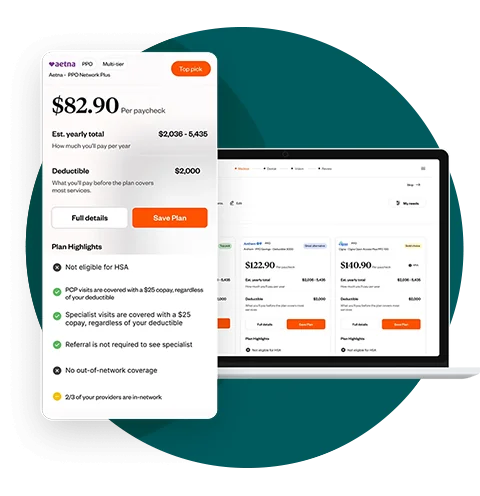
If your employer offers Healthee, you can use this AI-powered benefits support tool to help better understand your benefits and navigate Open Enrollment with confidence. Healthee works alongside your PrestigePEO Benefits Team to provide quick, personalized guidance whenever you need it.
Healthee Can Help You:
- Get personalized answers to benefits questions
- Understand your medical, dental, vision, and voluntary benefit options
- Compare available plan options and coverage details
- Navigate complex insurance topics more easily
- Make more informed benefits decisions during Open Enrollment
Healthee is designed to complement the support available through PrestigePEO and your Benefits Team, giving you another convenient resource throughout the enrollment process.